

 Nyah Eliud
Key takeaways
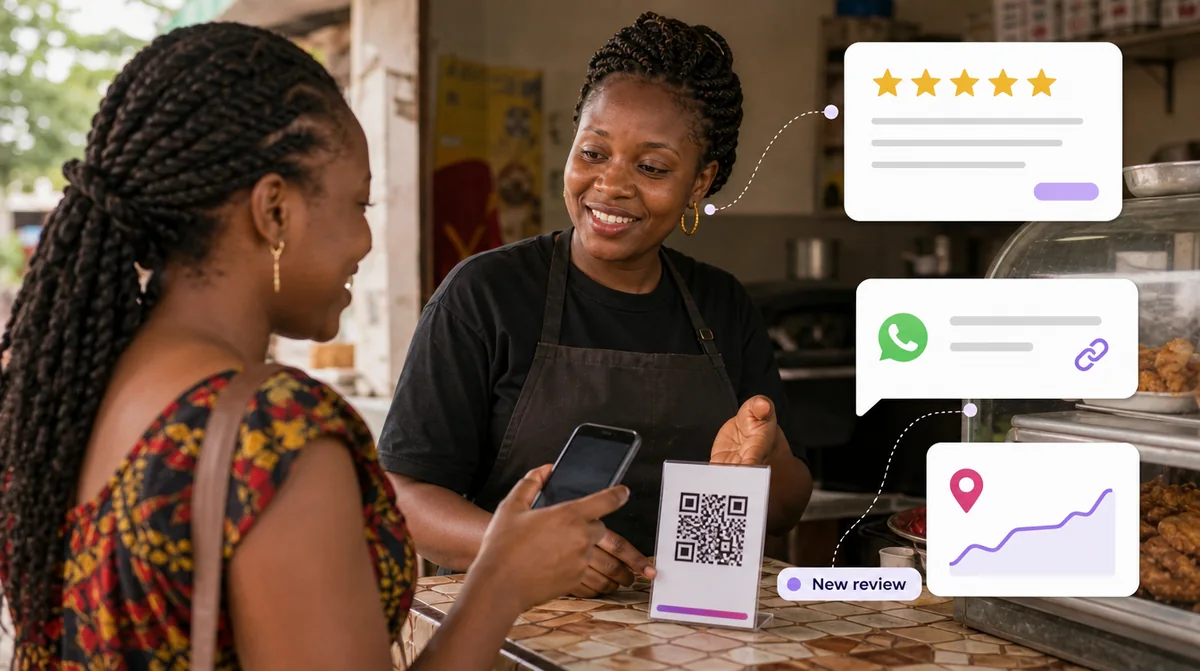
- Reviews feed Google’s idea of how prominent your business is, and they are what customers read before they call.
- Ask every customer, at the moment the job is done, with a direct link. Most people who mean to review never do because nobody made it easy.
- Never pay, discount, or ask only the happy customers. Google removes those reviews and can act against the profile.
- Ask for an honest review, not a good one. Neutral wording keeps you inside the rules and reads as more confident.
- Reply to every review within a few days, briefly and personally, including the bad ones.
Why reviews matter more than most businesses think
When somebody nearby searches for what you sell, Google shows three businesses on a map above everything else. Google says those results are decided mainly by relevance, distance and prominence, and that prominence depends partly on how many reviews a business has. A competitor with forty reviews and a half-finished profile will often sit above you with four reviews and a perfect one.
Then the customer reads them. Reviews are the closest thing a stranger has to a recommendation from somebody they trust, and in a market where many businesses have no website at all, your reviews may be the only independent evidence that you are real and good at what you do.
The good news is that almost nobody here asks properly. Most businesses with few reviews do not have unhappy customers. They have happy customers who were never asked, or were asked in a way that took too much effort.
The real reason you have few reviewsIt is rarely the quality of your work. It is that leaving a review takes a customer about two minutes and nobody gave them the link at the moment they were pleased.
What Google allows, and what gets reviews removed
Before the tactics, the rules. Google’s policy for reviews on Maps is strict, and breaking it does not just get the offending reviews deleted: it can get restrictions placed on your profile. These are the points that catch businesses out most often.
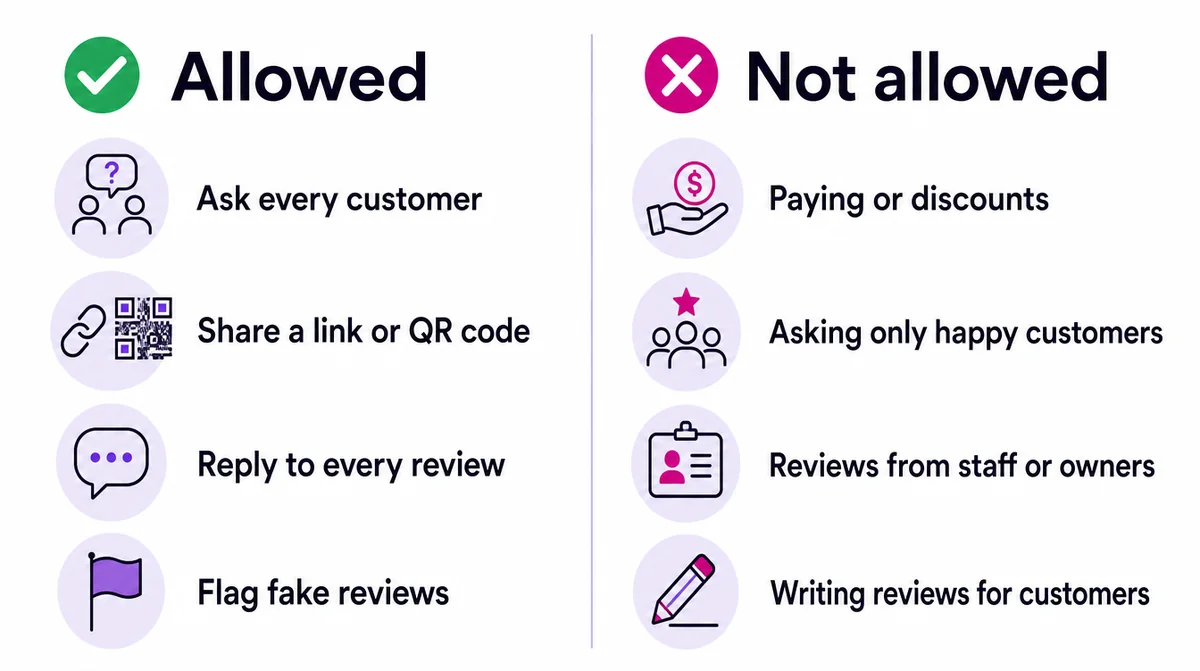
| You may | You may not | Why |
|---|---|---|
| Ask every customer for an honest review | Ask only the customers you think were happy | Google calls selectively soliciting positive reviews prohibited |
| Share a review link or QR code | Offer a discount, free item or payment for a review | Incentives of any kind are prohibited, including to change or remove a review |
| Remind a customer once | Pressure staff to collect reviews on the premises, or tell customers what to write | Google’s policy says both are not allowed |
| Reply to every review | Have staff, family or the owner review the business | Content based on a conflict of interest is prohibited |
| Flag a review that breaks the rules | Post fake reviews about a competitor | Fake engagement is removed and can be acted on |
The incentive rule surprises people most. A free drink, 10% off the next visit, entry into a prize draw: all of them count. So does a gentle hint that a five-star review will be rewarded. Thank people for reviewing; never pay them for it.
Ask for an honest review, not a good one
The most common way businesses here break the rules without meaning to is the wording. “If you were happy, please leave us five stars” is asking selectively for positive reviews. It also reads as nervous.
Ask everybody for their honest opinion instead. It keeps you inside the rules, it sounds confident, and the arithmetic still works in your favour: if your work is good, most honest reviews will be good. The occasional critical one, answered well, makes the rest more believable.
| Instead of | Say |
|---|---|
| “If you were happy, please give us five stars” | “Would you share your honest review on Google?” |
| “Only review us if it was great” | “Your feedback helps us and helps other customers find us” |
| “Leave a review and get 10% off” | “Thank you, it means a lot to a small business” |
| “Please mention our new service” | Say nothing about what to write |
When to ask: the moment that works
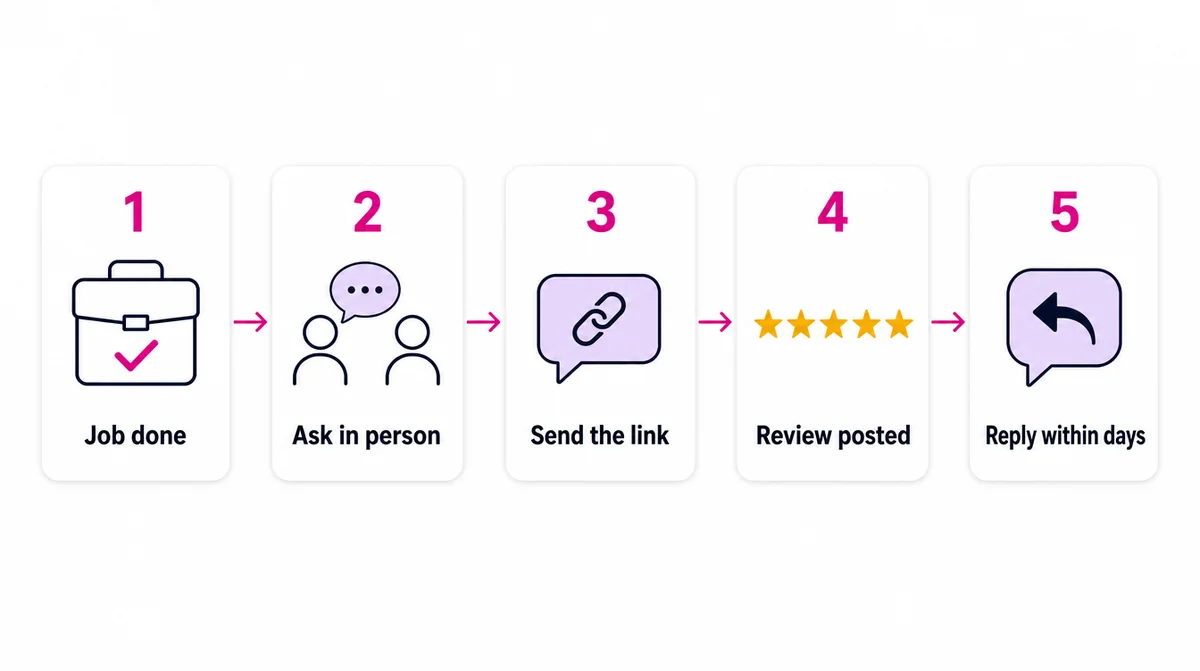
Timing matters more than wording. The best moment is when the customer has just experienced the result and is still pleased about it: the car runs, the hair is done, the food has been eaten, the parcel has arrived. Ask then, and send the link the same day.
| Business | The moment to ask | How |
|---|---|---|
| Salon or barber | While the customer looks in the mirror at the finished result | Ask in person, show the QR code at the till |
| Restaurant | When the bill is paid | QR code on the table card or the receipt |
| Garage or repair shop | When the customer drives away happy | WhatsApp the link the same afternoon |
| Clinic or pharmacy | At the end of the visit, never during treatment | A card with the QR code at reception |
| Online store | A day or two after delivery | An automatic WhatsApp or email with the link |
| Services to businesses | After a milestone the client is pleased with | A personal message from the person who did the work |
Ask in person first, briefly and warmly, then send the link. The spoken request creates the intention; the link removes the effort. Either on its own works far less well than both together.
Messages that work, in English and French
Most customers here will see the request on WhatsApp, so the message has to be short, friendly and carry the link. Save these as quick replies in WhatsApp Business and adapt them to your voice. Only send them to customers who have been in touch with you, which keeps you inside WhatsApp’s own rules on consent.
| Moment | English | Français |
|---|---|---|
| After the job | Thank you for choosing [Business] today! Would you share your honest review on Google? It takes a minute and helps other people find us: [link] | Merci d’avoir choisi [Entreprise] aujourd’hui ! Pourriez-vous partager votre avis honnête sur Google ? Cela prend une minute et aide d’autres clients à nous trouver : [lien] |
| One reminder, three days later | A gentle reminder in case you missed it: your honest review helps us a lot. [link] Thank you! | Petit rappel au cas où : votre avis honnête nous aide beaucoup. [lien] Merci ! |
| After delivery | Your order has arrived, we hope it is just right. When you have a moment, we would value your honest review: [link] | Votre commande est arrivée, nous espérons qu’elle vous convient. Quand vous aurez un moment, votre avis honnête nous sera précieux : [lien] |
Send one reminder, not threeOne follow-up is helpful. More than that feels like pressure, and a customer who feels pushed is more likely to leave a short, lukewarm review than none at all.
Make it easy: the review link and the QR code
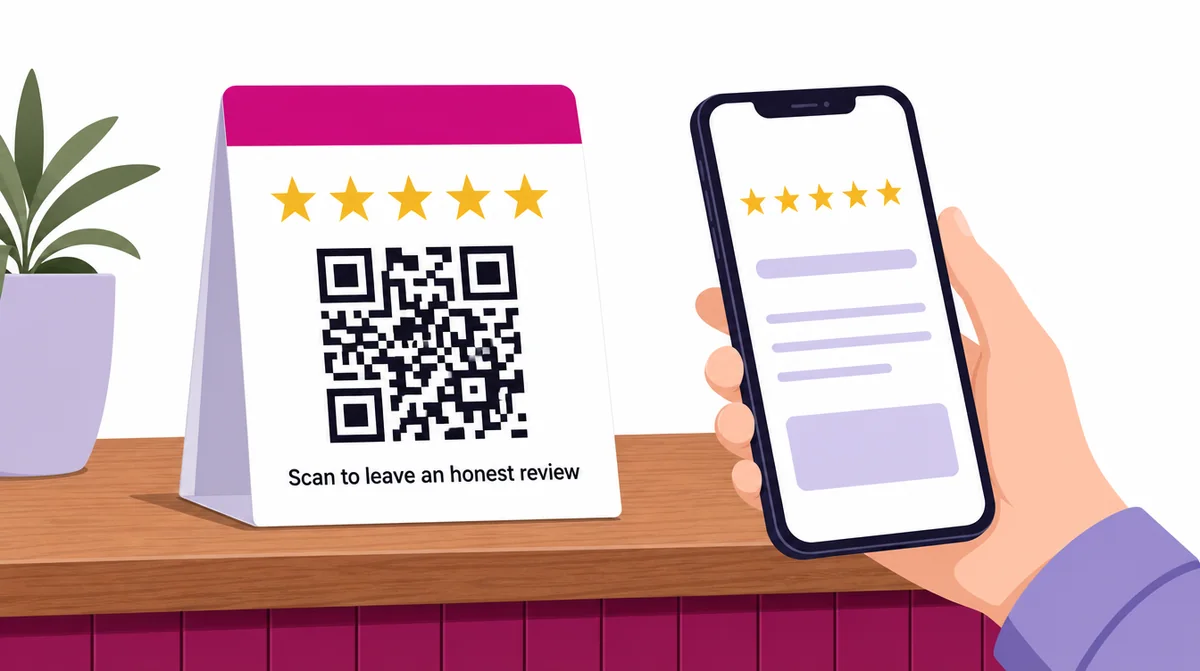
Google lets you request reviews by sharing a link or a QR code from your Business Profile, and recommends doing exactly that. Find the option to ask for reviews in your profile, copy the short link, and download the QR code. Both take the customer straight to the review box, instead of making them search for you first.
| Where | What to put there |
|---|---|
| Counter or till | A small printed card with the QR code and one line: “Your honest review helps us” |
| Receipts and invoices | The short link or QR code at the bottom |
| WhatsApp Business | A saved quick reply with the link, in English and French |
| Delivery parcels | A thank-you card with the QR code |
| Email signature | The short link, one line |
| Your website | A link near your existing reviews or testimonials |
One practical detail: Google says customers must be signed in to a Google account to leave a review, though it does not have to be a Gmail address. Most Android phones are already signed in. For customers who are not, a review is a bigger ask, so do not push.
Turn it into a habit that runs without you
Asking works. Remembering to ask is the problem, especially on a busy day. The businesses that collect reviews steadily do not have better customers; they have a routine.
- Decide the trigger. Job marked done, order delivered, appointment finished.
- Decide who asks. The person who served the customer, in person, every time.
- Send the link the same day, from a saved quick reply.
- Send one reminder three days later, then stop.
- Reply to every review within a few days.
- Look at the count every Monday, so it stays in mind.
Once the routine is settled, the request can be sent automatically when a job is marked done or an order is delivered. That is one of the five automations every small business should set up first, and part of what our automation service builds.
How to reply to reviews, good and bad
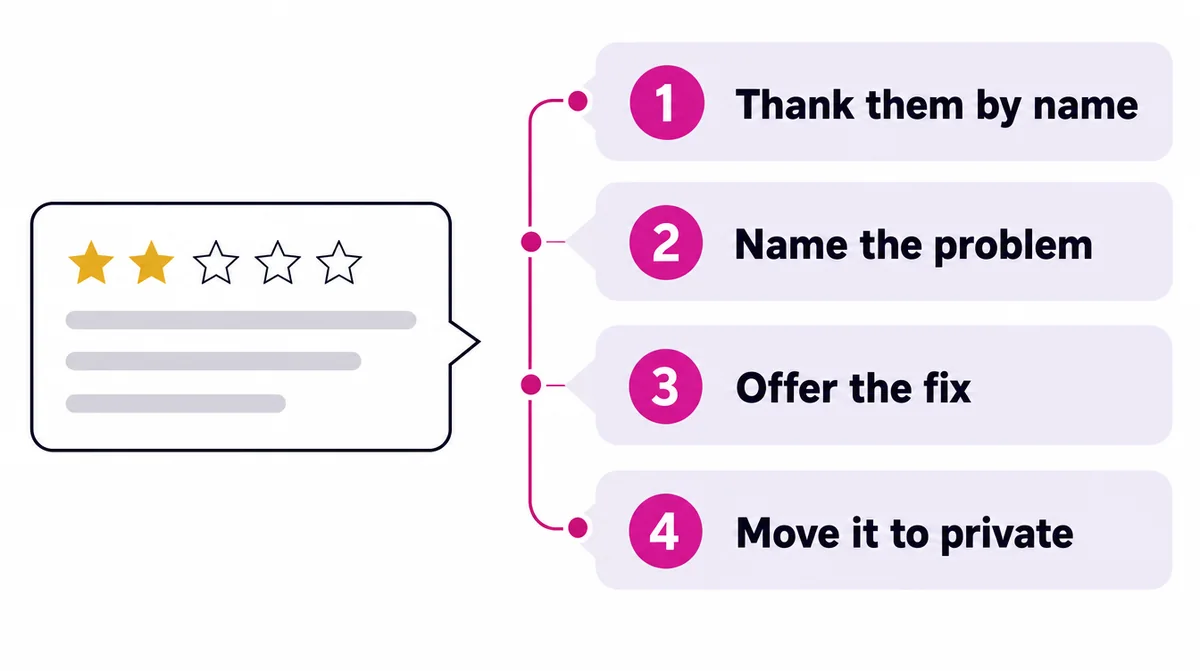
Google recommends replying to reviews, keeping replies short and personal, and avoiding the same generic thank-you on every one. Replies are public, so everybody reading the review reads your answer too. Do not use replies to advertise.
| Review | A reply that works |
|---|---|
| Five stars, a few words | “Thank you, Aline. Glad the braids lasted the whole holiday. See you next month.” |
| Five stars, detailed | Thank them by name and pick up one specific thing they mentioned |
| Three stars, mixed | “Thank you for the honest feedback. You are right that the wait was too long on Saturday; we have added a second chair for weekends.” |
| One star, angry | “We are sorry, this is not the service we want anyone to have. We have messaged you to put it right.” Then resolve it privately |
For negative reviews, Google’s own advice is to respond promptly, apologise where appropriate, be honest about mistakes without taking blame for things outside your control, and never share private details or attack the reviewer. Our guide on responding to a public complaint goes further.
Fake, unfair or competitor reviews
Sooner or later a review appears that is not genuine: from somebody who was never a customer, a competitor, or a review meant for a different business. Do not argue in the reply and do not retaliate.
- Reply once, calmly, saying you cannot find them in your records and inviting them to contact you
- Flag the review from your Business Profile as breaking Google’s policies, choosing the reason that fits
- Keep evidence such as booking records, in case you need to appeal
- Never answer with fake positive reviews. That breaks the same rules and risks the whole profile
A review that is merely negative, or unfair in your view, is not against the rules. Those are answered, not removed. A good reply to an unfair review is often the most persuasive thing on your profile.
Use what the reviews tell you
Reviews are free market research. Read them in batches, not one at a time, and look for the pattern rather than the single comment. If three people in a month mention the wait, the wait is the problem. If several mention one staff member by name, that person is doing something worth copying.
Reviews that mention your service and your area in their own words also help customers searching for exactly that. You cannot ask people to include them, but the more reviews you have, the more naturally they appear.
A 30-day plan to get started
| Week | Do this |
|---|---|
| Week 1 | Find your review link and QR code. Print a counter card. Save the request messages as WhatsApp quick replies, in English and French |
| Week 2 | Ask every customer, in person, and send the link the same day. Reply to every existing review you have not answered |
| Week 3 | Add the link to receipts, invoices, parcels and your email signature |
| Week 4 | Count new reviews, read them for patterns, and decide whether to automate the request |
We will not promise a number, because it depends on how many customers you serve and how good the experience is. What reliably happens is that a business which asks every customer, at the right moment, with a link, collects far more reviews than one that hopes.
How to measure it
| Measure | Where | What good looks like |
|---|---|---|
| New reviews per month | Your Business Profile | A steady flow, not a burst followed by nothing |
| Average rating | Your Business Profile | Stable or rising as volume grows |
| Share of reviews answered | Your Business Profile | All of them |
| Calls, direction requests and website clicks | Business Profile performance | Rising as reviews accumulate |
Reviews are one part of local search. The whole picture, from your Business Profile to the pages that rank, is in our SEO guide for Cameroon, and our local SEO service runs it for you.
Go further: the SEO guide, our SEO and GEO service, SEO prices, or local SEO and Google Business Profile.
Questions people ask
Yes. Google encourages it and lets you share a review link or QR code. What is not allowed is offering anything in return, asking only customers you think were happy, or having staff, family or yourself review the business.
No. Google's policy prohibits incentives of any kind for reviews, including discounts, free goods or services and payment, and that includes incentives to change or remove a review.
In your Google Business Profile, use the option to ask for reviews. It gives you a short link to share and a QR code to print, both of which take customers straight to the review box.
They need to be signed in to a Google account, but Google says it does not have to be a Gmail address. Most Android phones are already signed in.
You cannot remove a review just because it is negative. If it breaks Google's policies, for example it is fake or from a competitor, flag it from your Business Profile. Otherwise reply calmly and professionally.
Yes. Google recommends replying, briefly and personally. Replies show future customers how you treat people, and a good reply to a bad review can do more for you than another five-star review.
Yes, and you should ask in the language your customer uses. Reviews in French and English both count, and they help customers searching in either language.
There is no magic number. What matters is a steady flow of recent, genuine reviews and replies to them. Customers notice when the latest review is two years old.


Comments
No comments yet.Be the first to add one. We read every comment and reply to the ones that ask something real.
Leave a comment
Thank you. It will appear once we have read it, usually the same working day.