

Websites, explained
What a business website in Cameroon should actually do.
A plain guide to planning, costing and running a business website here: what it is for, the pages it needs, the platform to build on, what it should cost, how long it takes, who should own it, and how to tell whether the one you have is working.

Most websites here fail for the same three reasons.
A website is the cheapest employee a business can hire, and the easiest one to hire badly. Somebody builds it, everybody admires it for a week, and two years later it is still sitting there quietly failing to bring in a single enquiry.
When we audit a site that is not working, the cause is nearly always one of three things: it is too slow on a mobile connection, it never says clearly what the business does, or it gives a visitor nothing obvious to do next. None of those are design problems. They are decisions taken before design started.
This guide is the version of that conversation we have with clients, written down. It will not turn you into a developer, and it is not trying to. It will let you commission a website without being talked into things you do not need.
 By Nyah Eliud, Founder & Chief Strategist
Updated 20 October 2026
12 min read
By Nyah Eliud, Founder & Chief Strategist
Updated 20 October 2026
12 min read
Key takeaways
- Decide the site’s one main job first: bookings, enquiries, sales or proving you are real. Everything else follows from it.
- Give every service its own page. One page listing everything ranks for nothing.
- Your homepage has a few seconds on a phone to say what you do, for whom, what it costs and how to reach you.
- Speed is mostly decided at build time: compressed images, a lean theme, few plugins, decent hosting and caching.
- The domain, hosting and every login should be in your name from the first day. It is the most valuable clause in the contract.
Decide what the site is for before you decide what it looks like
A website can do several jobs, and the ones that work do a single job well. Take bookings. Win enquiries. Sell products. Prove the business is real to somebody checking before they hand over money. Each of those produces a different website, and a site attempting all four usually achieves none of them.
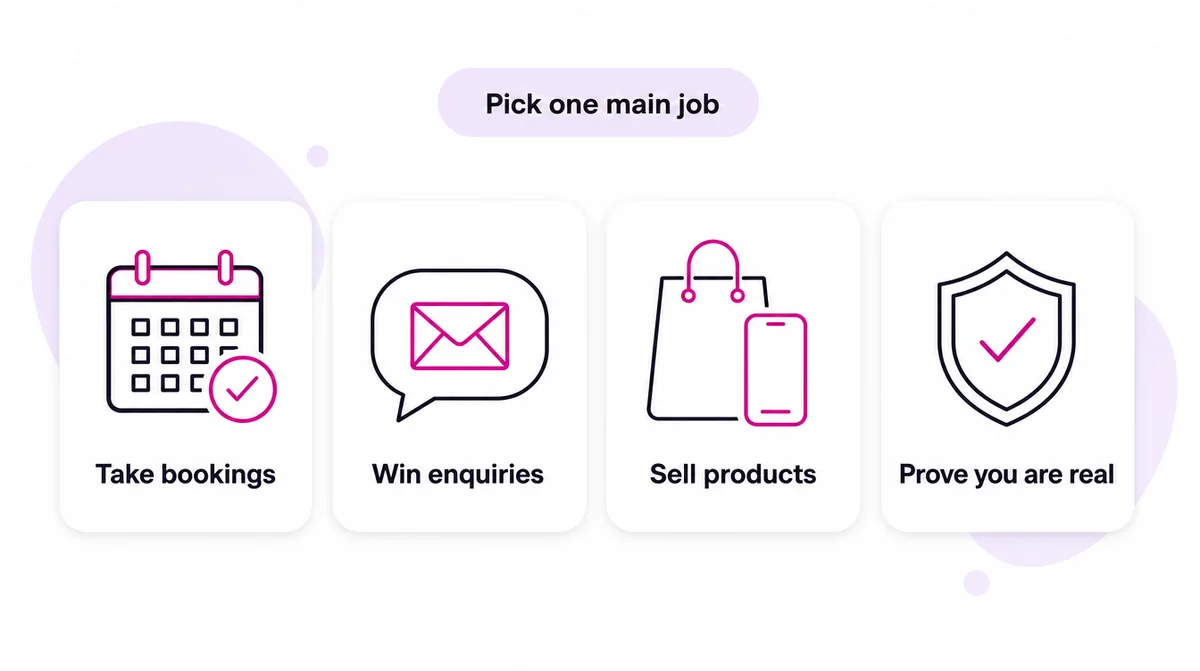
| Main job | Typical business | What the site must have | How you know it works |
|---|---|---|---|
| Take bookings | Hotels, clinics, salons, tour operators | Live availability, a booking form that works on a phone, confirmation by email or WhatsApp | Bookings per month that did not need a phone call |
| Win enquiries | Builders, consultants, schools, agencies | One page per service, prices or ranges, a short form and a WhatsApp button | Enquiries per month, and how many become customers |
| Sell products | Shops, pharmacies, distributors | Product pages with real stock, mobile money at checkout, delivery zones | Orders, average order value, abandoned carts |
| Prove you are real | NGOs, firms bidding for contracts, exporters | Registration details, named people, reports, project photos, a physical address | Partners and funders who say they checked the site |
Write one sentence before you speak to anybody: when this works, a visitor will have done X. Every later decision, from the menu order to the colour of the button, gets settled by that sentence. Without it, arguments get settled by taste instead, which is slower and produces worse websites.
The sentence also tells you what to leave out, which is the harder half. A booking site does not need a blog in version one. A site whose job is proving legitimacy to a donor does not need a shop. Everything you add is something else to maintain, and something else between a visitor and the thing you wanted them to do.
The question that saves the most moneyAsk what would have to be true for the site to pay for itself. If the answer is two extra customers a year, you need something simple and honest, not a rebuild of your entire brand.
The pages a business site actually needs
Most small business sites need fewer pages than people expect, and each one should earn its place. This is the set we start from for an enquiry-led business. Add to it only when there is a reason.
| Page | Its job | It must include |
|---|---|---|
| Home | Tell a stranger in seconds what you do, for whom, and what to do next | A plain headline, proof, one main button, contact details |
| One page per service | Rank for that service and persuade the visitor who lands on it | What it is, who it suits, price or range, process, questions, a call to action |
| About | Show there are real people behind the business | Your story, real photographs, registration details, how long you have operated |
| Work or results | Prove you have done it before | Named projects, before and after, a short account of the outcome |
| Contact | Make reaching you effortless | Phone, WhatsApp, email, a map, opening hours, a short form |
| Privacy policy and terms | Be honest about data and how you work | What you collect and why, how payment and refunds work |
One page listing every service you offer ranks for none of them, because Google cannot tell which search it is meant to answer. Splitting services onto their own pages is usually the single biggest improvement to an existing site, and it costs very little.
The seven questions your homepage has about four seconds to answer
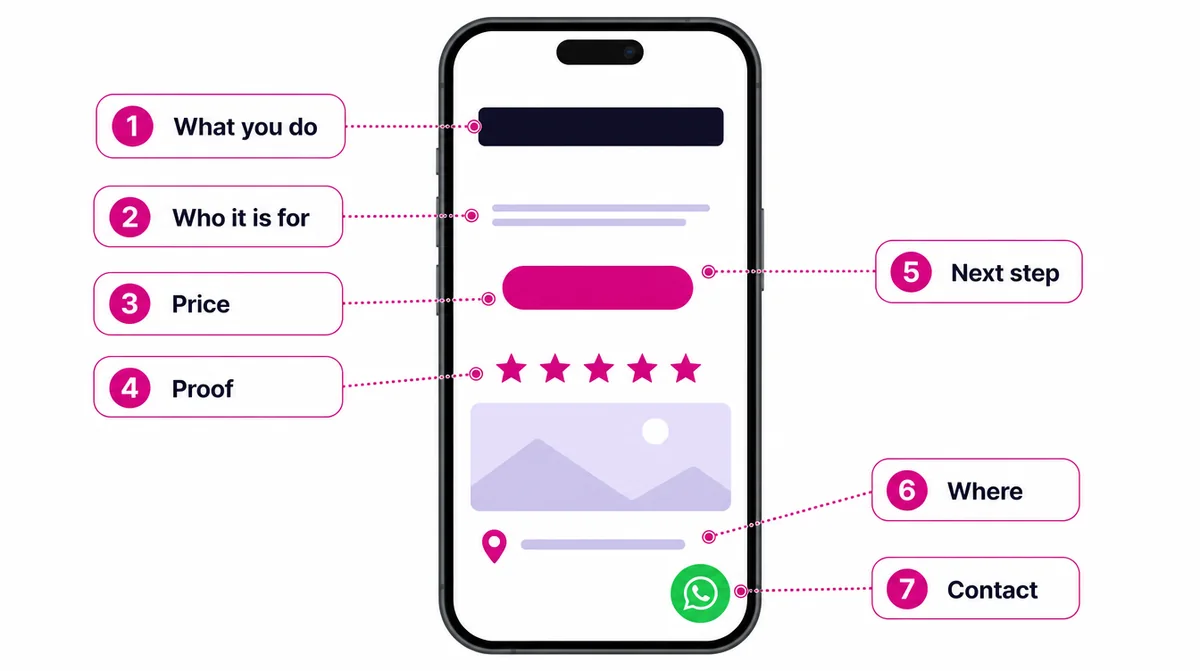
Somebody landing on your site is asking, without consciously forming the words: what is this, is it for me, what does it cost, can I trust you, what happens next, are you near me, and how do I reach a human. Answer those above the fold and most of the job is done. Answer none of them and no amount of design further down the page rescues it.
This is why so many attractive sites fail. They open with a photograph and a slogan that could belong to any company in any industry, and the visitor has to work to find out what the business actually does. In a market where most people arrive on a phone, paying for their own data, that work does not happen. They leave.
- What is this? Say what you do in plain words, no metaphor, in the first line
- Is it for me? Name the customer: businesses, families, schools, whoever it is
- What does it cost? A price, a range, or at minimum how pricing works
- Can I trust you? Real address, real photographs, names, and proof you have done it before
- What happens next? One obvious action, repeated at the end of the page
- Are you near me? The city or region, because it is half the reason somebody clicked
- How do I reach a human? A phone number and a WhatsApp link where a thumb can reach them
Each of those has a wrong version that is very common here, and the full breakdown with examples is in the seven questions every homepage has to answer.
Choosing the platform
The platform matters less than people argue about, and more than people think when it is the wrong one. The right choice is the one somebody at your business can keep up to date, that loads fast on a phone, and that you can move away from if you ever need to.
| Platform | Best for | Who can edit it | Watch out for |
|---|---|---|---|
| WordPress with Elementor | Most business sites, blogs and service businesses | Your own team, after a short training session | Plugin sprawl and heavy themes, both of which slow it down |
| Hand-coded HTML | Landing pages and sites that must be as light as possible | A developer, for anything beyond small text changes | Every change costs a developer’s time |
| WooCommerce | Online stores that need mobile money and full control | Your team, for products, stock and prices | Hosting has to be good enough for a store |
| Shopify | Stores that want a managed service and accept its limits | Your team, easily | Monthly fees in dollars, and how well it suits local payment methods |
For stores the decision deserves its own article, and it has one: WooCommerce or Shopify for a Cameroonian business. If you will take payments, read accepting mobile money on your website before you choose.
Speed is a business decision, not a technical one
A site taking eight seconds on a mobile network has lost most of its visitors before they read a word, and no design survives that. It matters more here than in markets with cheap fast data, because your visitor is paying for the bytes your website wastes. It also matters to Google, which ranks the mobile version of your site and publishes the speed measures it uses.
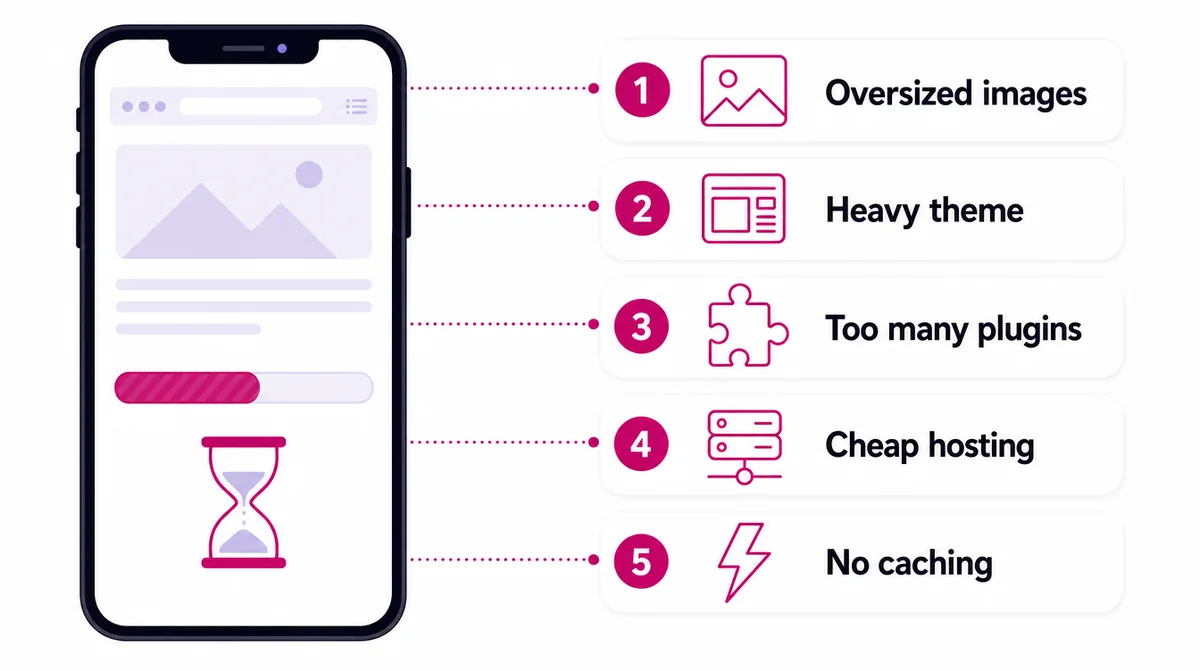
| Cause | What you notice | The fix | Effort |
|---|---|---|---|
| Oversized images | Pages crawl even on good wifi | Resize and convert to WebP before uploading | An afternoon |
| Heavy theme | Slow on every page, even simple ones | Switch to a lean theme | A rebuild of the pages |
| Too many plugins | Slowness grows every time something is added | Remove anything nobody can explain | An afternoon |
| Cheap hosting | A long pause before anything appears | Move to better hosting | A day |
| No caching | Every visit rebuilds the page from scratch | Add a caching plugin or server caching | An hour |
Four of the five are fixable quickly, and three are avoidable at the moment the site is built rather than repaired afterwards. The one that takes real work is the theme, because replacing it means rebuilding the pages.
Why your WordPress site is slow walks through diagnosing which of the five is yours, in order, without needing a developer.
Test it the way your customers experience itOpen your site on your own phone, on mobile data, away from the office wifi, at the hour your customers browse. That is your real website. Google’s free PageSpeed Insights tool gives you the lab result, but your phone tells you what customers actually feel.
What a website costs, and what actually moves the number
Published prices are unusual here, which is exactly why we publish ours. These are our three plans, as a guide to what each tier means anywhere.
| Plan | Price | What you get | Suits |
|---|---|---|---|
| Starter | 80,000 FCFA | One landing page, a year of hosting and a .com domain, SSL, a contact form and a WhatsApp button | A business that needs to exist properly online |
| Professional | 250,000 FCFA | Up to six pages, a basic SEO setup, an editing system, a blog, five business email addresses, Google Maps | A business that wants to be found and to win enquiries |
| Enterprise and eCommerce | From 600,000 FCFA | Ten or more pages or a full store, with mobile money, bookings and more than one language | Stores, hotels and businesses with real functionality |
| Care plan | From 50,000 FCFA a year | Hosting from year two, updates, backups and monitoring | Anyone who would rather not maintain it themselves |
What moves a quote is rarely the design. It is functionality: taking money, managing stock, booking a room against real availability, or connecting the site to something you already run. If a quote lands far above what you expected, ask which of those is driving it, and whether you genuinely need it in version one.
Be equally careful with quotes far below the market. A site arriving with no training, no logins in your name and no support window is not cheap. It is a deferred payment on a problem you will meet in about eight months.
The full breakdown, including what gets quoted separately, is in how much should a website cost in Cameroon, and every plan is listed on our web design pricing page.
How long it takes, and what actually causes the delay
These are honest timescales for the build itself. They are almost never what decides when your site goes live.
| Type of site | Build time | What usually delays it |
|---|---|---|
| Landing page | Under a week | Choosing the headline and the photographs |
| Business site, up to six pages | Two to three weeks | Service descriptions and prices that need approving |
| Online store | Four to eight weeks | Product photos, descriptions, stock and delivery rules |
The delay is content. Photographs that were going to be taken. Product details sitting in somebody’s head. Text that needs approving by a person who is travelling. We can write and shoot a great deal of it, but the facts about your business only exist inside your business.
The projects that finish on time are the ones where content is gathered before the build starts, not during it. If you do one thing to make your project fast, do that.
Rebuild, or repair what you already have?
Agencies have an obvious incentive to recommend a rebuild, so treat the recommendation carefully, including ours. Plenty of sites we are asked to replace need three days of work rather than three weeks.
Repair is usually the right answer when the structure is sound and the content is broadly right. Compress the images, drop the plugins nobody uses, rewrite the homepage so it answers the seven questions, fix the mobile layout. That recovers most of the value for a fraction of the cost.
Rebuild when one of these is true:
- Nobody at your business can edit it without paying somebody
- It cannot be made fast, because the theme itself is the problem
- It no longer describes what you actually sell
- It was never mobile-friendly, and most of your visitors are on phones
- You do not control the domain, the hosting or the logins
Do you need a redesign, or just a few fixes? goes through the decision properly, with the questions to ask before agreeing to either.
Choosing who builds it
A good freelancer and a good agency both produce good websites, and the choice matters less than people think. What matters is what you agree before money changes hands.
- Will the domain, hosting account and every login be in my name?
- What happens after launch, and for how long?
- Will I be trained to edit it, or will I be calling you for every price change?
- What is quoted separately, and what is included?
- Can I see something you built two years ago that is still running?
That last question is the useful one. Anybody can show you a site launched last month. A site still working two years later tells you whether it was built to be maintained or built to be photographed.
Owning it matters more than anyone realises, until it does
The most expensive mistake we see is a business that does not control its own domain. The developer registered it, the developer hosts it, and the relationship has since gone cold. Rebuilding a website is straightforward. Recovering a domain from somebody unwilling to release it is a different kind of problem, and occasionally an unsolvable one.
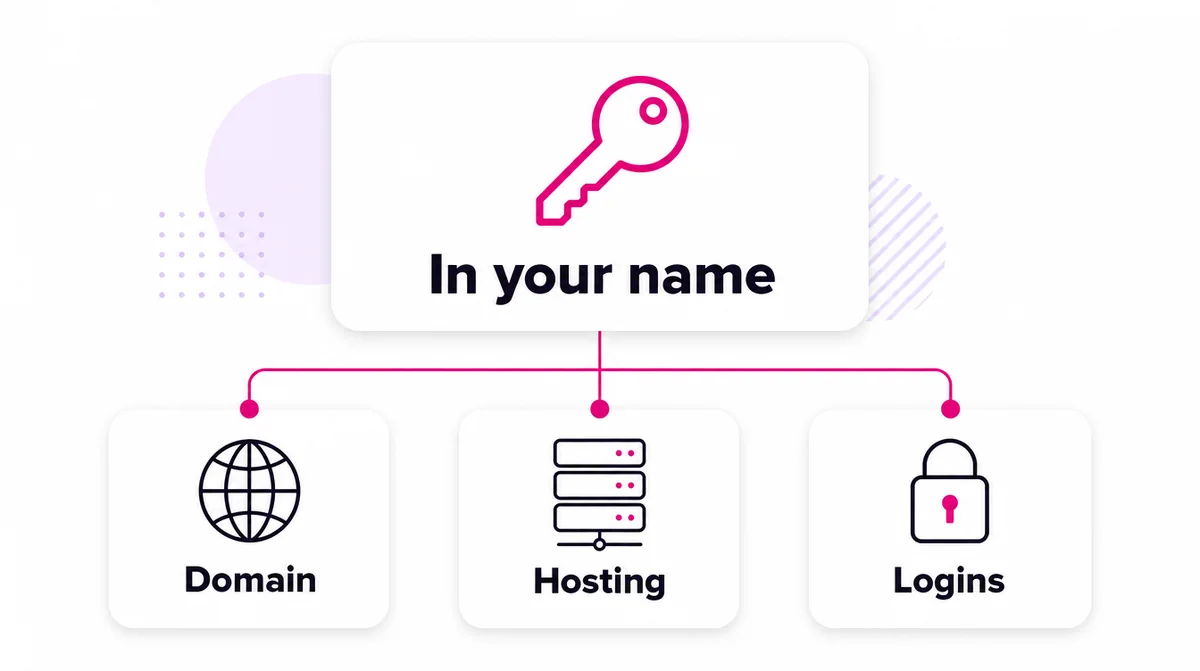
Before you pay anybody, agree in writing that the domain, the hosting account and every login are registered in your name and handed over at the end. It is a two-line clause and it is the most valuable thing in the contract.
- Domain: registered with you as the owner and contact, not the developer
- Hosting: an account in your name, even if somebody else manages it
- Logins: the website, the email, Google Business Profile, Analytics and Search Console, all owned by you
Accessible, secure and honest
A few basics separate a site people trust from one they hesitate over, and none of them are expensive.
- The padlock. HTTPS on every page, which also matters to Google
- Readable on a cheap phone. Text large enough, buttons far enough apart to tap, enough contrast to read in sunlight
- Alt text on images, so screen readers can describe them and search engines can understand them
- A privacy policy that tells the truth about what your forms collect and what you do with it
- Real details. An address, a phone number that is answered, and photographs of your actual premises
The international reference for accessibility is the W3C’s Web Content Accessibility Guidelines. You do not need to read all of it, but a builder who has never heard of it is worth a second question.
What happens after launch
A website is not a thing you finish. Prices change, staff change, a service gets added, and a site that stops matching the business quietly stops being trusted.
| How often | What to do |
|---|---|
| Every month | Check enquiries and orders, reply to reviews, update any price or offer that changed |
| Every quarter | Open the site on a phone, on mobile data, as a stranger would. Check every form actually arrives |
| Every year | Renew the domain, review every page against what you now sell, and refresh the photographs |
Decide who edits it before you launch, not afterwards. If the answer is somebody on your team, they need a training session and a site simple enough to survive them. If the answer is nobody, you want a care plan, and you should price that in rather than discovering it later.
Most of the problems we are eventually called about were visible for a year before anyone mentioned them. The quarterly check is how you catch them while they are still cheap.
A launch checklist
Before anybody announces the site, go through this list. It catches the problems that are embarrassing to discover after the launch post has gone out.
- Every form sends to an inbox somebody reads, and the WhatsApp button opens the right number
- The site loads quickly on a phone, on mobile data
- Each page has its own title and description, and one clear main heading
- Google Search Console and Analytics are connected, in your name
- The domain, hosting and every login are in your name, and you have them
- Your Google Business Profile links to the new site
- The old site, if there was one, redirects page by page to the new addresses
- Somebody at your business has been shown how to edit it
Where this comes from
The primary sources behind the claims above. Each one is worth reading in full if you want the detail.
- Google Search Central — Mobile site and mobile-first indexing best practices
- web.dev — Web Vitals, the speed measures Google publishes
- Google — PageSpeed Insights, the free speed test
- Google Search Central — SEO Starter Guide
- Google Search Central — Creating helpful, reliable, people-first content
- W3C Web Accessibility Initiative — WCAG 2 Overview



If you would rather not do it yourself
See web design and development
If you would rather hand the whole thing over, that is what we do. Published prices, a year of hosting and a .com domain included, and every login in your name at handover.
Questions
The things people ask first.
A business website exists to turn a stranger's attention into an enquiry, a booking or a sale. It should say what you do, prove you are real, answer the questions a customer asks before buying, and give one obvious way to take the next step, all on a phone in a few seconds.
Our single-page site is 80,000 FCFA, a six-page business site 250,000 FCFA, and an online store from 600,000 FCFA, each with a year of hosting and a .com domain. What changes the number is functionality rather than design: payments, stock, bookings and integrations are the expensive parts.
A landing page is usually under a week. A business site is two to three weeks. An online store is four to eight. The slowest part is almost always content: photographs, product details and text that only you can supply.
A homepage, one page for each service, an about page, a page showing your work or results, a contact page, and a privacy policy. One page listing every service ranks for none of them, so separate service pages are usually the biggest single improvement.
WordPress with Elementor is the sensible default here because you can maintain it yourself and the skills are easy to hire locally. Hand-coded HTML is better when a site must be as light and fast as possible. The wrong answer is whichever one nobody at your business can update.
You should, from day one. The domain should be registered with your business as the owner, and the hosting account should be in your name even if somebody else manages it. Recovering a domain from a developer who will not release it can be impossible.
Look at enquiries, not visits. If traffic is steady and enquiries are not, the problem is on the page rather than in the marketing. If neither is moving, the site is not being found, which is an SEO problem. The free audit tells you which of the two you have.
Fix, more often than people expect. If the structure is sound and the content is right, speed and layout fixes cost a fraction of a rebuild and recover most of the value. Rebuild when the site cannot be edited, cannot be made fast, or no longer describes what you sell.
Your domain is renewed at cost, whatever the registry charges. Hosting from year two is either yours to arrange or ours on a care plan, which starts at 50,000 FCFA a year and includes updates, backups and monitoring.
Next step
Tell us the goal. We will come back with the plan.
No pressure and no obligation. Start with the free audit, or send us a brief and get scope, timeline and cost in writing.
